

VERSION 1.0#
This is a beta release, if you encounter any bugs reply below.
What this mod does:
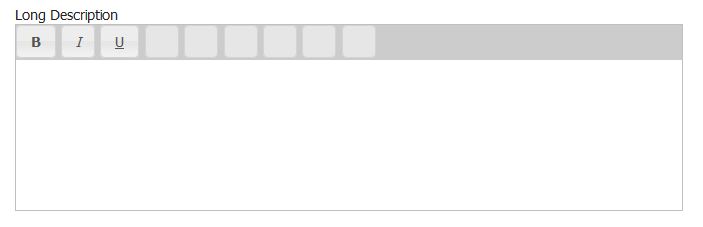
Adds a "long description" field to join form and edit pages to allow your members to spice up their profile page.
Why a seperate field? why not just add this to the existing description?
Good question by adding a second field it allows us to display the short description on the ranking pages without all the BBcode being parsed. That would look ugly and slow things down. This way only the stats (profile) pages are "enhanced" with the bbcode.
What options are available via the BBCode?
At this time the editor supports the following tags:
bold, Italic, Underline, hyperlinks, and images
Installation:
Upload the zip file via the plugin manager as always.
Then you need to edit 3 templates:
Open
stats.html
and place {$long_description} where you want the long description to show.
Next, Open edit_form.html
find:
replace with:
and do the same change in join_form.html
find:
Replace with:
Thats it! Enjoy
This is a beta release, if you encounter any bugs reply below.
What this mod does:
Adds a "long description" field to join form and edit pages to allow your members to spice up their profile page.
Why a seperate field? why not just add this to the existing description?
Good question
by adding a second field it allows us to display the short description on the ranking pages without all the BBcode being parsed. That would look ugly and slow things down. This way only the stats (profile) pages are "enhanced" with the bbcode.What options are available via the BBCode?
At this time the editor supports the following tags:
bold, Italic, Underline, hyperlinks, and images
Installation:
Upload the zip file via the plugin manager as always.
Then you need to edit 3 templates:
Open
stats.html
and place {$long_description} where you want the long description to show.
Next, Open edit_form.html
find:
HTML:
<input name="submit" type="submit" value="{$lng->edit_header}" />replace with:
HTML:
<input name="submit" type="submit" value="{$lng->edit_header}" onclick="wswgEditor.doCheck();" />and do the same change in join_form.html
find:
HTML:
<input name="submit" type="submit" value="{$lng->join_header}" onclick="onSubmitButton();" />Replace with:
HTML:
<input name="submit" type="submit" value="{$lng->join_header}" onclick="onSubmitButton(); wswgEditor.doCheck();" />Thats it! Enjoy

 after upload images folder by hand its working. Sorry


