Where are my codes???

gsharpe1964

Member
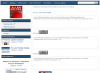
A member says they had a lot of issues signing up :(

When they finished they didn't get any codes or banners to conntect to their site, I did a test account and got this

top.png
 
looks like you have not configured your button options in the admin panel, once done you should be all set.
 
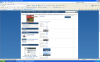
Mark i've got 15 members the buttons were done when i started 2 weeks ago, I've gone back to the admin cp and double checked, all options say YES ???
1-10.png
 
well something must have changed since then, I'll login now as a user and see if I can spot anything.

in the mean time, can you check your button_config.php file and ensure settings are accurate.
 
hmm worked fine for me

also confirmed the link code shows as expected when logged into the usercp
 

Attachments

  • 1.png
    1.png
    107.6 KB · Views: 3
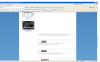
Update: looks like an IE7 bug (scroll down if your using that old browser and you will see your link code options).

You can alter the width of textarea in your CSS (or use CSS IE conditionals so only IE7 users get a smaller textarea box)
 
further update:
open sources/user_cp/link_code.php and remove all instances of this:
Code:
style="width: 100%;"

this should not have been there, as it overrides the CSS file. This fix is included in 0.7 release. Thanks for the catch
 
mark, Just found the codes they are right at the bottom, of the page you need to scroll right down, there seems to be alot of whitespace in between thats why i thought they had gone, will the above make it vieeanle to the user without scrolling right down?? It seems to start at the end of the New members forum pics on the left
 

Attachments

  • 1.png
    1.png
    207.8 KB · Views: 2
yes, please see my above posts it explains the circumstance, the cause, and the cure :)
 
yes, as I mention above, edit the width of textarea in your css

Code:
textarea {
width: 500px;
}
 
Back
Top