Premium Banner

Morus

www.votezone.eu , www.privateserversranking.com
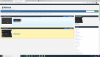
I've just installed the frest installation of 1.8 visiolist and I have an issue with Premium banner.
It is not showing in table_top_row_premium
The code in that file is:
<a href="{$url}" onclick="out(this,'{$username}');" rel="nofollow">{$banner}</a><br>

Should it be $banner or it should be something like $default_banner.
The website is premiujm and the banner has been uploaded
1593348772230.png
1593348835227.png
1593349643730.png
 
Last edited:
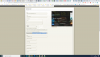
That is the correct tag, however it looks like you are using the new MP4 banner option and that MP4 is not playing.

this is the code being output by $banner
Code:
    <p><a href="http://www.smartprofit.co.uk/" onclick="out(this,'smartprofit');" rel="nofollow">
<video class="video-fluid" autoplay="autoplay" playsinline="true" loop="loop" muted="true" width="460" height="60">
    <source src="http://www.votezone.eu/games-ranking/banners/mp4/smartprofit_premium_1593349730.mp4" type="video/mp4">
</video>


</a></p>
so need to check why your mpeg conversion failed.
 
Ive executed the conversion just now but still the same

1593386133274.png
 
I can have a look later on skype morus. Your mp4's are 404 not found. It looks like something with ffmpeg got installed incorrectly, resulting in the "can i run ffmpeg" to return true, but the actual convert command does not generate/store the mp4

On a sidenode, add this to your css, seems it got left out in default theme
Code:
.video-fluid {
    max-width: 100%;
}
 
Last edited:
I can have a look later on skype morus. Your mp4's are 404 not found. It looks like something with ffmpeg got installed incorrectly, resulting in the "can i run ffmpeg" to return true, but the actual convert command does not generate/store the mp4

On a sidenode, add this to your css, seems it got left out in default theme
Code:
.video-fluid {
    max-width: 100%;
}

Thanks guys.
I will be on tonight, sorry was in work.
 
Back
Top