
Install the app
How to install the app on iOS
Follow along with the video below to see how to install our site as a web app on your home screen.
Note: This feature may not be available in some browsers.
You are using an out of date browser. It may not display this or other websites correctly.
You should upgrade or use an alternative browser.
You should upgrade or use an alternative browser.
Bug Fix Finally upgraded to 1.2 - Problem editing members
- Thread starter armaclans
- Start date


I recall seeing similar issue many years ago with Aardvark, not sure what the issue was, think it was something to do with GD lib misinterpreting the image data somehow.
Please test another user account on your server and see if this behavior is consitent on your server with all banners/members, I have tested on 3 servers all running VL 1.2 and all are working fine. Would like to figure out what is causing this for you.
Please test another user account on your server and see if this behavior is consitent on your server with all banners/members, I have tested on 3 servers all running VL 1.2 and all are working fine. Would like to figure out what is causing this for you.

Now that you say it. Most likely
in classes.php is at fault. You are trying to check width and height via http url, hence "allow_url_fopen" is required. At least was the issue back in the aardvark days
On upload we have the same function, but its from POST data, so it works there
Few things you can do
1) from the code above in sources/misc/classes.php , try to remove the "@" from the code, so the error is not supressed. Might give hints
2) Make yourself a phpinfo.php and upload to toplist root where index.php is
Then check site.com/phpinfo.php and search for "allow_url_fopen". Would bet its turned off.
Code:
$size = @getimagesize($FORM['banner_url'])On upload we have the same function, but its from POST data, so it works there
Few things you can do
1) from the code above in sources/misc/classes.php , try to remove the "@" from the code, so the error is not supressed. Might give hints
2) Make yourself a phpinfo.php and upload to toplist root where index.php is
Code:
<?php
phpinfo();
?> that is also a commonly disabled function on shared hosts. We might want to wrap this part with a function check to ensure allow_url_fopen is enabled before running getimagesize
hmm after removing the @ you didn't see any error messages at the top of the screen when trying to edit? If it is the getimagesize() function causing the problem there should be something there.
Also, what are your max button dimensions set to in the admin settings?
Also, what are your max button dimensions set to in the admin settings?
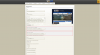
http://armaclans.com/banners/AE-6507.jpg
the dimensions of that image is actually 468px wide
you said your admin setting was only 460px
So that would make it invalid, too big.
Fingers crossed that is all it was
the dimensions of that image is actually 468px wide
you said your admin setting was only 460px
So that would make it invalid, too big.
Fingers crossed that is all it was